A beat that follows your ambition
30–280 BPM, tap tempo, subdivisions, accents, saved presets, and automatic tempo changes.
A little more rhythm. A lot more you.
A metronome, guitar tabs, tuner, and rhythm trainer that turn a little practice into real progress. Made for the music you want to play.
iPhone (iOS 17+) · Android 8.0+ · In-app purchases

Find your tempo. Keep your rhythm.
01 / RYTHMENO
The essentials of a good practice session, together in one app.
30–280 BPM, tap tempo, subdivisions, accents, saved presets, and automatic tempo changes.
A chromatic tuner with a clear needle display shows whether your note is sharp, flat, or in tune.
Tap on screen or use Listen mode. Get early, late, and on-beat feedback, then track your practice.
02 / Guitar tabs that follow the click
70 tunes and original studies, with tabs that scroll to the beat. Learn a song, build your fretting hand, and lock in your timing in one place.
The playhead moves with the metronome, so you always see which note lands on which beat.
Play any song from 30 to 160 BPM, repeat the bars that trip you up, and hear a guide tone for every note.
Twenty original studies run from power chords to sixteenth-note riffs. Every round counts toward your streak and level.
In the iPhone and Android app. Standard tuning, no capo, works offline.
03 / The app
Actual screenshots from Rythmeno on iPhone.
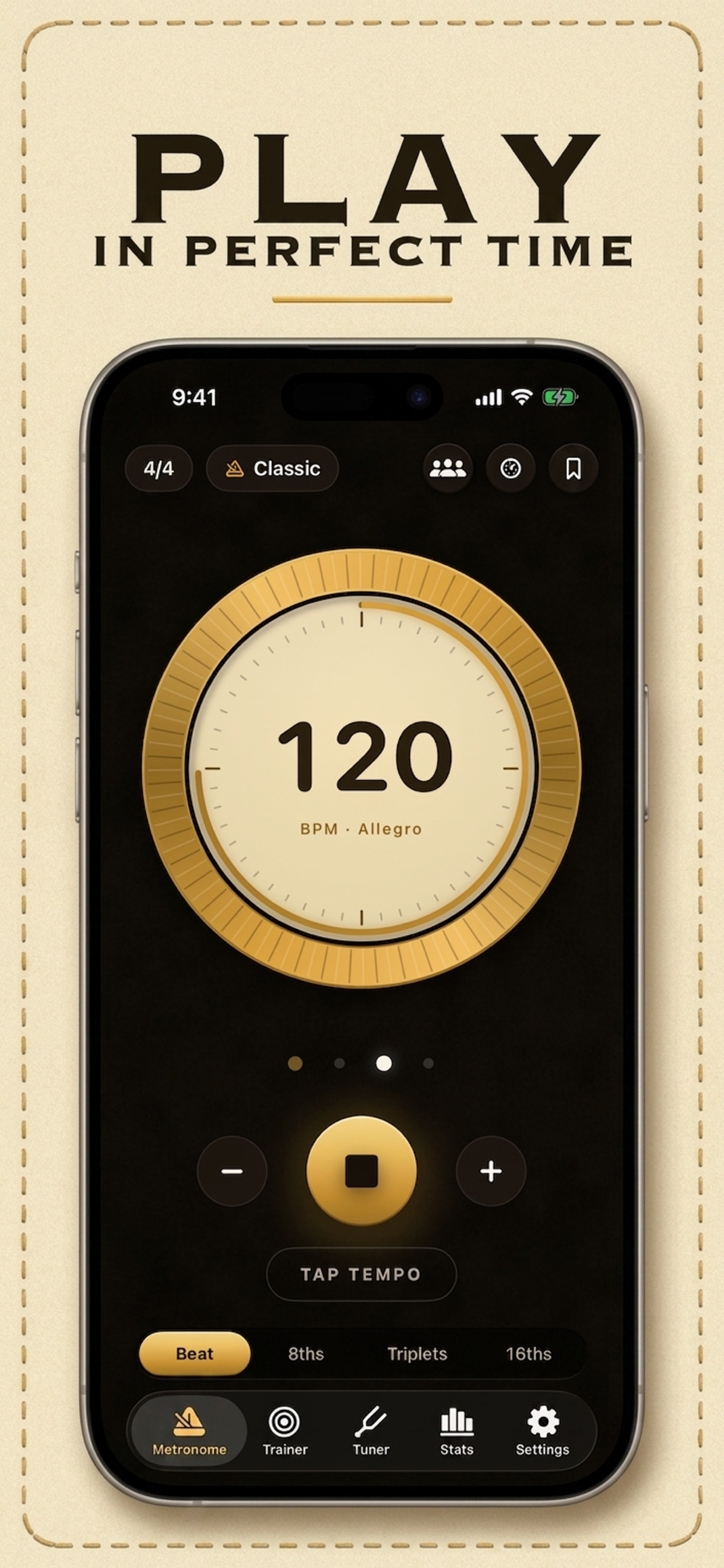
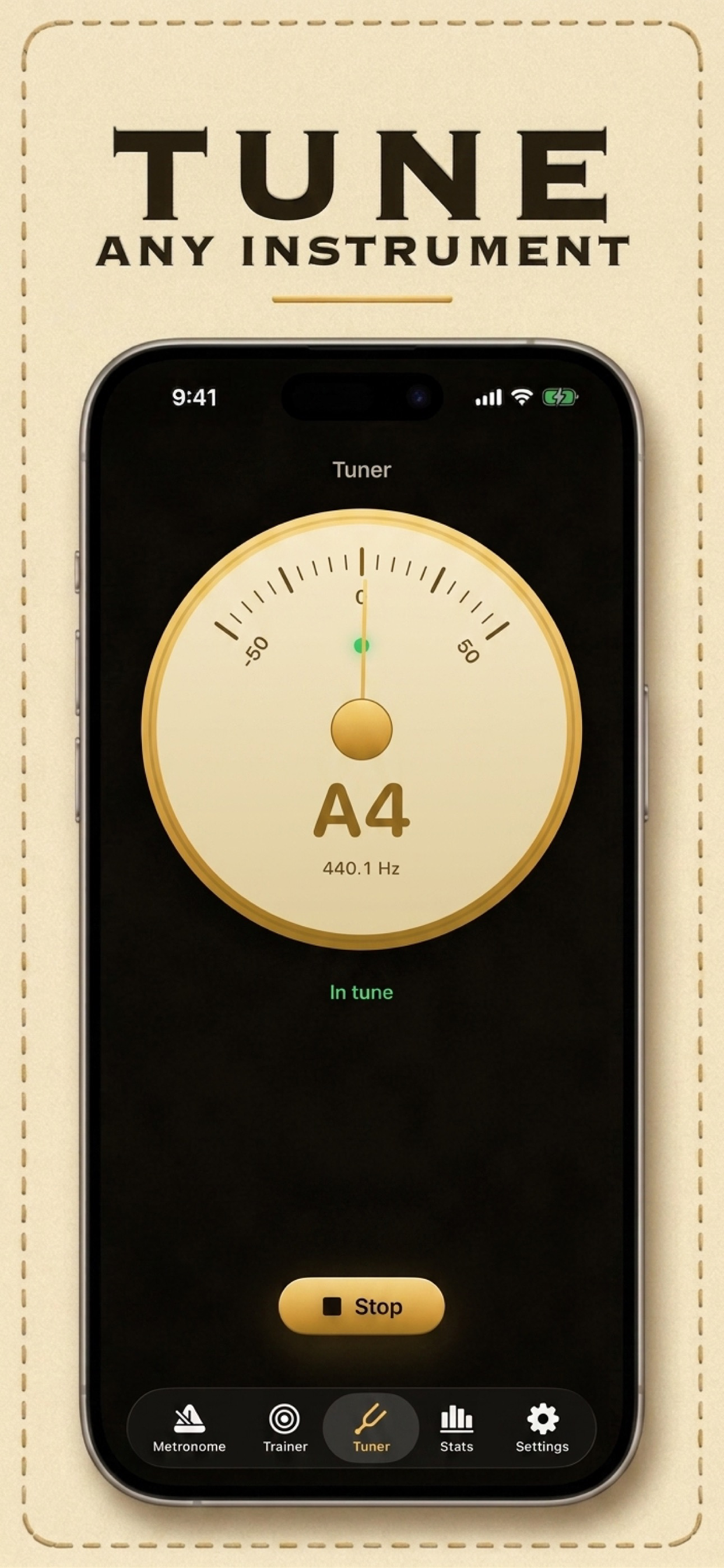
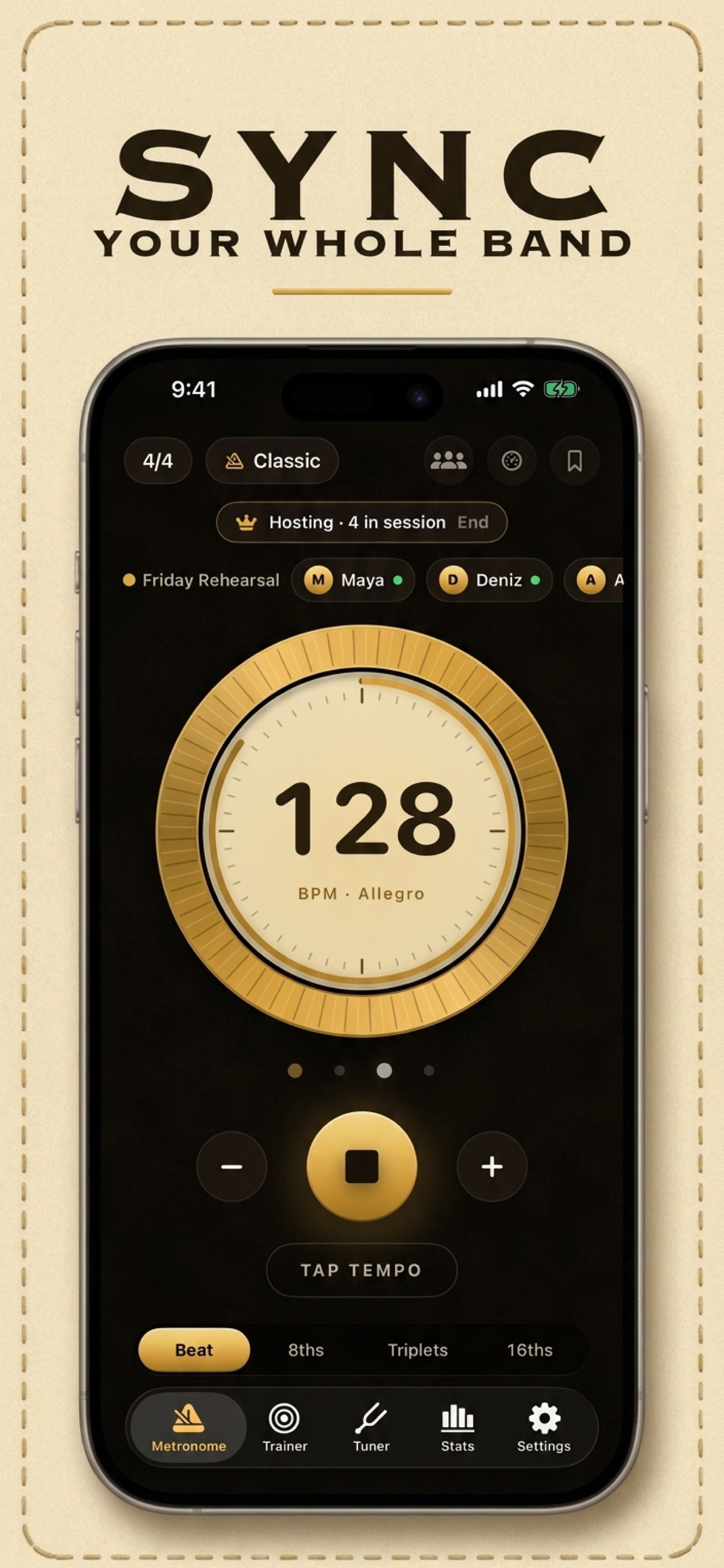
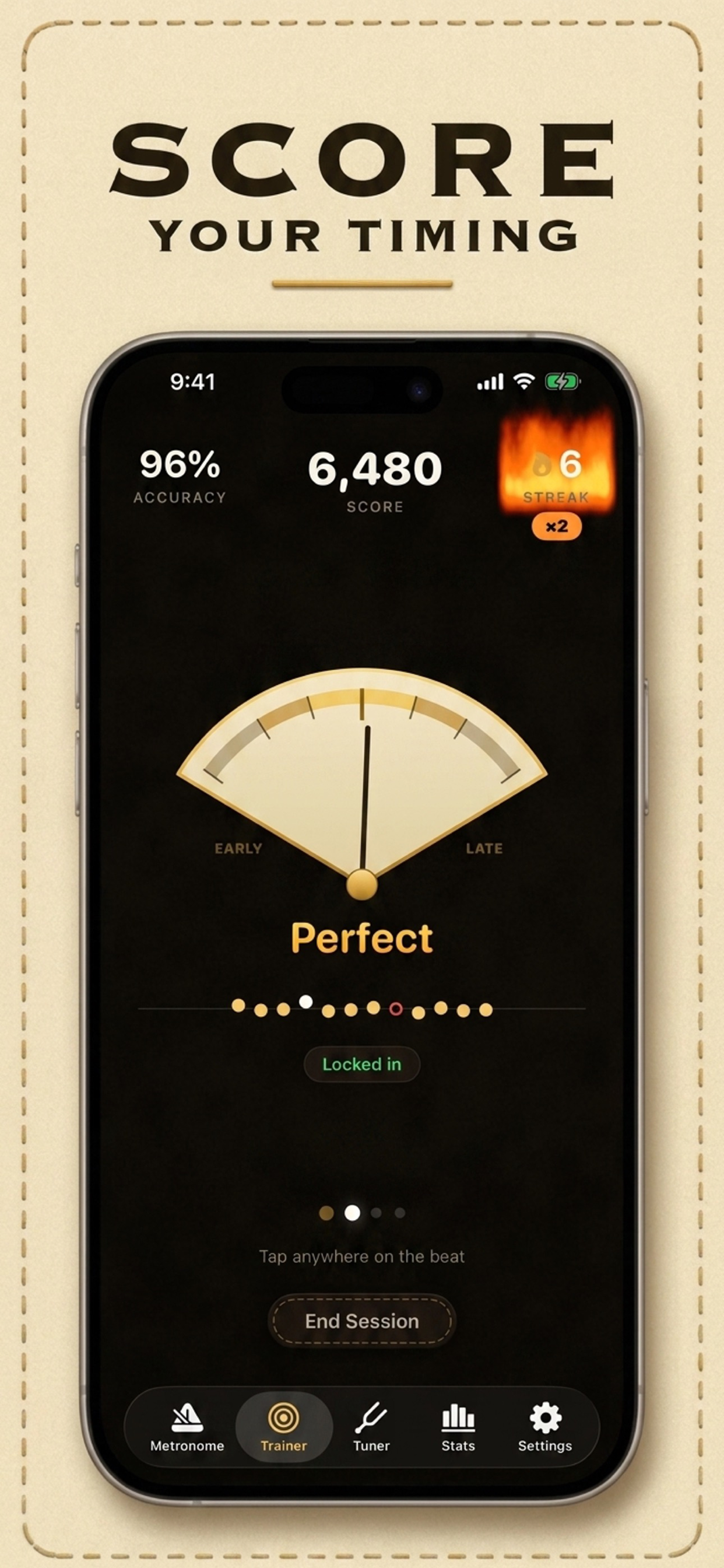
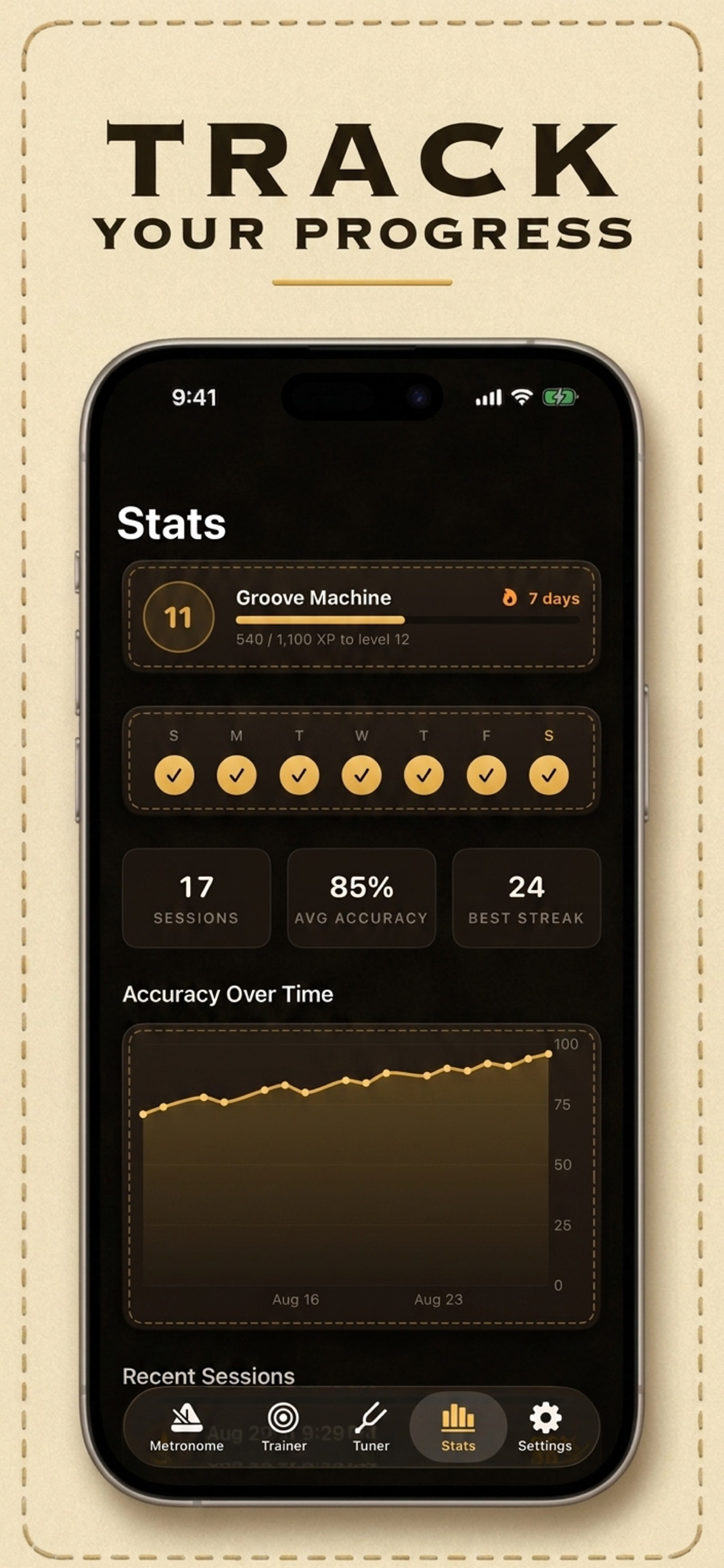
Screenshots show the iPhone app and are currently in English.
Choose a comfortable tempo and the time signature of your music. Start slowly enough to play with control.
Check your tuning, follow the click, and focus on a short phrase. Adjust subdivisions when you need a clearer pulse.
Use Trainer feedback to find what needs work. Build speed gradually and keep an eye on your practice history.
05 / THE PRACTICE ROOM
06 / FAQ
Start at a tempo where you can play comfortably, count along with the click, and play one note per beat. Work on a short phrase before increasing the tempo. 60 BPM is a useful first experiment, not a rule for every piece.
Learn moreChoose a BPM where your chord changes or picking stay relaxed and even. Try 60 BPM for a first chord-change exercise, use one strum per beat, and reduce the tempo if your fretting hand arrives late.
Learn moreLearn a short passage slowly, practice each hand until its rhythm is clear, then combine the hands at a lower tempo. Let the metronome mark a consistent pulse while you count the smaller note values yourself.
Learn morePractice a steady pulse, divide it into equal parts, and notice whether you tend to rush or drag. Short, repeatable exercises with timing feedback can help you choose a specific skill to work on next.
Learn moreYes. Rythmeno’s Tempo Trainer lets you set a starting tempo, a higher target, a BPM increment, and how many bars to play between increases. Choose a modest target so the final repetitions remain controlled.
Learn morePlay one open string at a time, check the target note, and adjust gradually until the tuner centers. Standard guitar tuning from the lowest string to the highest is E–A–D–G–B–E. A centered wrong note is still the wrong tuning.
Learn more6/8 contains six eighth notes, usually grouped 3 + 3. You can hear all six eighth-note clicks or count two dotted-quarter pulses. A dotted-quarter tempo of 60 equals 180 eighth-note clicks per minute.
Learn moreRythmeno’s Band mode connects nearby devices for a shared tempo during rehearsal. Agree on the meter and count-in first, then connect and check that everyone hears the intended pulse before starting the song.
Learn moreBPM stands for beats per minute. At 60 BPM, one beat lasts one second; at 120 BPM, it lasts half a second. The note value assigned to the beat matters, especially in compound meters such as 6/8.
Learn more
Bring your metronome, guitar tabs, tuner, and rhythm trainer to every practice.
Free to download. Some features require Premium. See the App Store or Google Play for current pricing.